Täglich bieten wir KOSTENLOSE lizenzierte Software an, die ihr sonst bezahlen müsstet!
Giveaway of the day — Sumo Pro 5.9.8
Sumo Pro 5.9.8 war am 14. September 2019! als Giveaway verfügbar!

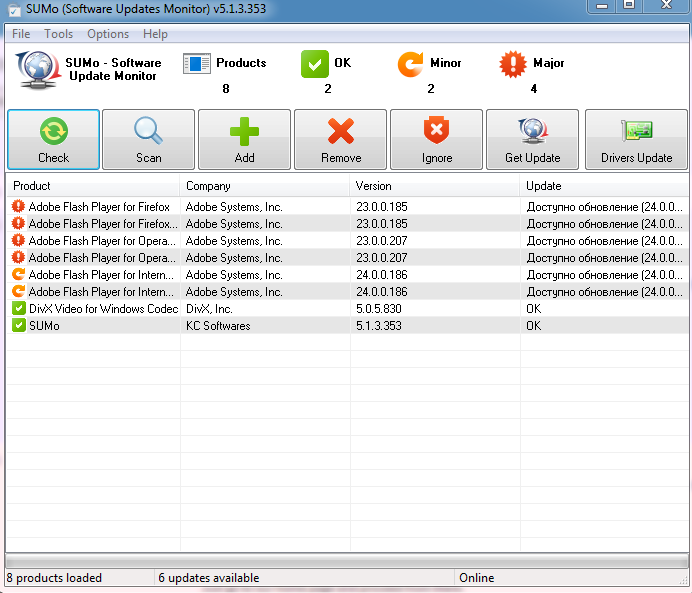
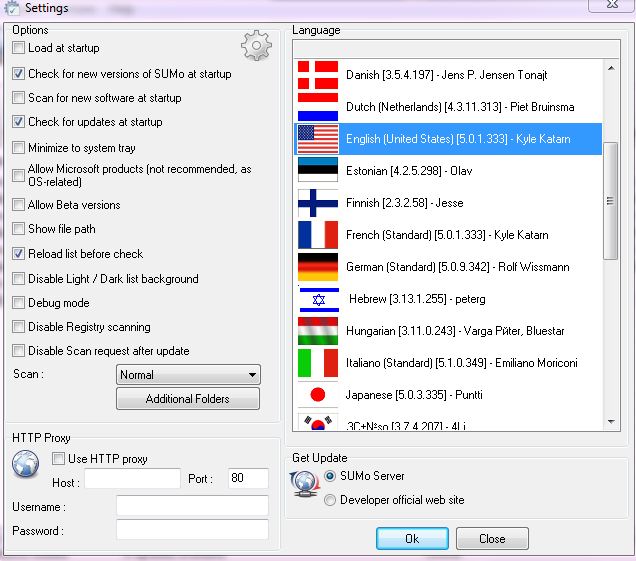
SUMo steht für Software Update Monitor und hilft euch, eure Software immer auf dem neusten Stand zu halten. Im Unterschied zu den integrierten Autoupdate-Features, benachrichtigt euch SUMo, ob Updates verfügbar sind, bevor ihr eure Software benutzt.
Features:
- Automatische Erkennung der installierten Software;
- Findet benötigte Updates / Patches für eure Software;
- Findet benötigte Treiber-Updates (DUMo erforderlich);
- Filter / Autorisieren von Beta-Versionen (Benutzereinstellung);
- Ignorieren-Liste: Das Tool beschäftigt sich nur mit der Software, die für EUCH relevant ist;
- Mehr Kompatibilität und weniger 'false positives' als bei anderen Update Monitor-Tools (laut Benutzerfeedback).
System-anforderungen:
Windows XP/ Vista/ 7/ 8/ 10
Herausgeber:
KC SoftwaresHomepage:
http://www.kcsoftwares.com/?sumoDateigröße:
3.2 MB
Preis:
$29.99
GIVEAWAY download basket




Kommentare zum Sumo Pro 5.9.8
Please add a comment explaining the reason behind your vote.

The usefulness of this program only goes so far. My biggest complaint against it, is that for too many of my programs that need updating, SUMo PRO takes me to pages that do not contain the update. In fact, the update is nowhere to be found on the website SUMo PRO sends me to. Very frustrating.

I note that clicking on help (help and uninstall) takes me to a blank web page! So anyone know what the difference is between the "Remove" and "Ignore" buttons? Don't want to accidentally uninstall anything but I have some software I don't want it to tell me about again.
D Murphy, Remove : remove from list but gets back if you rescan or re-add. Ignore : blacklist (won't appear again). SUMo never deleted nor uninstalls any program.
iPhone Angebote »





Android Angebote »





Hallo!
Ich möchte aber kein Programm welches meinen Rechner durchstöbert. Backdoor - Datenschutz - ....!?!
Da schaue ich lieber selbst nach Updates - gerade bei guten "Giveaway of the day Programmen", die nach einem Update meist nicht mehr laufen.
Save | Cancel
es gibt software updater wie sand am meer,das problem ist nur das sie auch trial versionen zb.giveaway auf trial updaten wollen und wenn genau das passiert hast du ein problem, denn die meisten giveaway programme sind nicht
wieder herstellbar ,abgelaufen.ich gebe hans recht am besten von hand .
gut bei manchen updater programmen kann man das einstellen beispiel glary utilities,die suche kann man auch aus
dem autostart raus nehmen. dann sucht das programm nur beim programmstart.
aber nicht kostenlos ,oft als gtveaway zu finden auch auf dieser seite und oder auf us seiten .
Save | Cancel
Solche Programme sind eigentlich überflüssig, weil fast alle Programme selbst den User informiert, wenn Updates vorhanden sind.
Save | Cancel
Jörg,
was Du das schreibst stimmt nur bedingt.
Über Updates erfährst Du meist erst was, wenn das entsprechende Programm gestartet wird.
Und selbst das nicht bei allen Programmen.
Dann gibt es die Programme welche permanent nach Updates suchen (Adobe z.B.), die machen das über den Autostart bei Windows.
Hier ist der Nachteil, dass man dann bei jedem Systemstart mehre Programme startet die für jeweils jedes einzelne Programm prüfen, ob es Updates gibt.
Das verlangsamt den Rechner.
Meine Empfehlung ist, solche Routinen aus dem Autostart zu entfernen und lieber einzeln nach Updates zu suchen oder aber solche Programme wie hier angeboten zu nutzen.
Save | Cancel