Täglich bieten wir KOSTENLOSE lizenzierte Software an, die ihr sonst bezahlen müsstet!
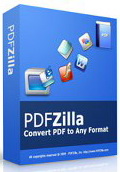
Giveaway of the day — PDFZilla 1.2.9
PDFZilla 1.2.9 war am 2. Januar 2011! als Giveaway verfügbar!
PDFZilla ist eine Desktop-Anwendung, die euch beim Konvertieren von PDF-Dateien in editierbare MS Word und Rich Text Dokumente, Text-, HTML-, Shockwave Flash SWF- sowie Bilddateien zur Seite steht.
PDFZilla unterstüzt die meisten beliebten Formate: DOC, RTF, TXT, BMP, JPG, GIF, PNG, TIF, HTML und SWF. Das Programm bietet euch darüber hinaus das Konvertieren im Batch Modus und die Möglichkeit, seitenweise zu konvertieren.
System-anforderungen:
Windows XP/ Vista/ 2000/ ME
Herausgeber:
PDFZilla.comHomepage:
http://www.pdfzilla.com/Dateigröße:
6.58 MB
Preis:
$29.95
Weitere interessante Titel
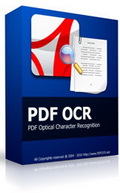
PDF OCR basiert auf der OCR Technologie und hilft euch beim Konvertieren gescannter Bücher (im PDF-Format) in editierbare Textdateien. Das Programm verfügt über einen integrierten Text Editor und unterstüzt Konvertieren im Batch Modus.
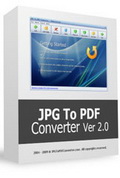
JPG To PDF Converter ist eine Windows-Anwendung zum schnellen Umwandeln von multiplen Bildern (JPG, GIF, BMP, TIF, PNG und PSD-Formate werden unterstüzt) in eine PDF-Datei.
PDF to JPG Converter ist ein Windows Utility zum Schnellen Umwandeln von PDF-Dateien in JPG,BMP,TIF,GIF und PNG-Formate. Es ist darüber hinaus möglich, die gewünschte Datei seitenweise zu konvertieren und die DPI der Output-Datei festzulegen.
MP4 To MP3 Converter ist ein kostenloses Windows Utility zum schnellen Konvertieren von MP4-Dateien ins MP3-Format. AVI, MPG, FLV, WMV, MOV und weitere Videoformate können darüber hinaus in MP3, WMA, WAV, OGG und FLAC umgewandelt werden.
YouTube Musikvideos herunterladen und in MP3, AVI, WMV, MOV, MP4 und 3GP konvertieren – einfacher gehts nicht. So erhaltet ihr Zugang zu Millionen von Musikstücken auf YouTube. Probiert YouTube Music Downloader jetzt aus!
GIVEAWAY download basket

Kommentare zum PDFZilla 1.2.9
Please add a comment explaining the reason behind your vote.

The Good
* Straightforward, non-complicated usage.
* Converts PDFs to .DOC, .RTF, .TXT, .JPG, .BMP, .GIF, .PNG, .TIF, .HTML, and .SWF formats.
* Users are allowed to convert whole PDFs or a select range of pages.
* Can convert encrypted PDFs.
* Converts fairly quickly.
* Supports batch processing.
* Supports drag + drop.
* Doesn't require users to have Microsoft Office/Word installed to do PDF to DOC conversions.
The Bad
* Poor conversion/output quality for all non-image/SWF outputs.
* PDF to GIF does not convert in color.
* PDF to HTML uses absolute paths for images instead of relative paths.
* PDF to Word/RTF uses text boxes for text.
* Overwrites existing files of the same name and same format in the output folder without prompt.
* For PDF to image conversions, lacks ability to directly control output image resolutions and poor usage of DPI property.
* For encrypted PDFs, users must enter password as that PDF comes up during conversions (cannot enter in prior to conversion), so batch processing becomes semi-useless since user has to sit there and type in passwords when prompted.
* Attempts to install directly into C:/ by default as opposed to C:/Program Files.
* No option to add an entry in the right-click context menu in Windows Explorer.
* Supports PDF to DOC but not PDF to DOCX.
Free Alternatives
AnyBizSoft PDF to Word Converter
For final verdict, recommendations, and full review please click here.

DL and installed with no problems on Windows 7 64. I converted The Iliad to .txt within a couple of minutes and so far it looks accurate. I haven't tried the other file types as the conversions to text formats are the primary focus for me.
So from my point of view the program is very good, however, there are a couple of things that would improve it, at least for me,
1) I really wish it had a conversion to .odt for Open Office as I don't use Word. From my understanding although it's not as popular as Word there is a market for Open Office, .odt compatible software.
2) The actual conversion process would benefit from a progress % just so you know it's working, especially on long or large pdfs, as I had started to wonder if it was stuck while the conversion bar continued to go back and forth like a cylon's eye with no mention of how much time or % was left.
All in all, from my perspective, a useful tool to add to my office software. Thanks to GAOTD and PDFZilla.
PDFZilla is a small, VB [Visual Basic] app for making copies of a PDF file in .doc, .rtf, & .txt file formats -- it can also do .jpg, .bmp, .gif, .png, & .tif image files, as well as .html & .swf. It uses 3 cli [Command Line Interface rather than GUI] apps, & 2 are older versions -- the pdf2html site no longer exists [pdfimage.com], but pdf2swf & pdftk are here http://goo.gl/5mQfl & here http://goo.gl/zbeH ... if you want to try updating those 2 PDFZilla will still work, but I don't know if you'll gain anything by it or not [in quick tests the .swf files were smaller, but didn't notice anything else]. The .exe file for today's GOTD version is 1.2.0.9 -- the version I had from GOTD [can't swear that it's the latest] is 1.2.0.7... there's no change log included, but the newer version adds/uses richtx32.OCX. Running PDFZilla you get an initial window with buttons for 5 types of conversion -- click any one of them & you'll get the actual program window with a task/pdf doc list that supports drag/drop, & you select the output format on the right, along with selecting pages to convert & output destination. Annoyingly, closing the app's working window [or clicking File menu -> Exit] doesn't close the app but brings up that initial splash sort of screen. In quick tests PDF copies in .doc format looked very close to the original, with graphics & individual lines of editable text as movable objects. Copies in .swf format just cycled, showing one page after another, but they did look like the original. Three minor annoyances are: 1) the list of imported PDF files clears itself after conversion [I'd prefer something like a checkbox that got cleared, + a Clear button], 2) Windows Explorer opens to the destination folder whenever you complete a conversion, & 3) whenever I start the app I have to click the desktop to get it to actually start in 7.
Installing PDFZilla is [at least potentially] problematic... As Ashraf noted the default installation folder is c:\PDFZilla rather than under c:\Program Files [or Program Files (x86) for 64 bit Windows] -- bad practice but certainly not the end of the world. More important, PDFZilla puts MSCOMCTL.OCX & richtx32.OCX in the program's folder, & registers them there with Windows -- this older version of MSCOMCTL.OCX *might* have an effect on other apps you've installed that use it, & removing [or moving] the PDFZilla folder breaks any installed apps that use either file. Lots of apps use MSCOMCTL.OCX & it's usually already in Windows' system folder, meaning I could use the older version of PDFZilla [from GOTD] as if it was a portable app -- with richtx32.OCX added that's no longer the case (that VB file is much less common), so I'll probably not bother updating. PDFZilla's program folder holds 19 files, 2 folders, & takes up ~16 MB. PDFZilla itself has one registry key for uninstall, but registering those 2 VB files causes ~300 new or changed registry entries in XP -- it can have more impact in Vista/7 because .NET can get involved when you have VB apps.
[If you install & then remove PDFZilla, & find that one or more of your installed apps no longer work, you'll need to re-register one or both of those 2 VB files mentioned with Windows. Registering files can be done from the Windows' command prompt [run -> cmd in XP, search cmd & then run as admin in Vista/7], using regsvr32.exe that can be found in Windows\System32 & Windows\SysWOW64 [in 64 bit windows use the one in SysWOW64 for 32 bit apps], or you can find .reg files on-line that, when merged with Windows registry adds the register/unregister commands to the right click, context menu, or you can use utilities like RegDrop http://goo.gl/OZjtZ [I keep a copy on my desktop, & in 7 it's set to run as admin]. If/when removing PDFZilla breaks something, search your hard drive for MSCOMCTL.OCX, & if you have more than one, register the file in Windows' system folder. Then do the same for richtx32.OCX -- don't worry if you don't find this one as it is a bit uncommon.]
Personally I've kept (& very occasionally used) PDFZilla from an earlier GOTD, but I just installed it to a VM [Virtual Machine], copied the program's folder to my regular Windows install, & then restored the VM [I just copy/paste a copy of the baseline virtual disk, replacing the changed one], so I never suffered any grief from it's installation. I could do the same for today's GOTD, using RegDrop to register richtx32.OCX after copying it to Windows' system folder [where it belongs], but I've used PDFZilla so rarely I'm not yet sure if it's worth the bother.
Note that there is a workaround for Ashraf's listed "con" that states "PDF to Word/RTF uses text boxes for text": You can select the entire document (or, at least all the text boxes, if there are also pictures and other non-text objects) and then do an Edit / Paste Special, and paste everything as unformatted text, which, while it will lose formatting, will result in editable text that is not in a series of text boxes.
Also, related to the posts / suggestions regarding the progress bar - the one near the bottom of the program window worked for me. When I converted a small PDF, it converted so fast I didn't really see the progress bar. But when I converted a large PDF, the progress bar and percentages were reasonably accurate, and the "back and forth" finish-up graphic was only on-screen for a few seconds. Maybe that graphic is on screen for a longer period with slower processors?
iPhone Angebote »





Android Angebote »




Satz mit x,war wohl nix!Proggi taugt leider nur für die Krabbelgruppe.Vielen Dank auch!
Save | Cancel
pdftiger ist glaub bissel besser das gabs hier glaub au schon mal
Save | Cancel
@Jockel ohne dich wärs hier auch ziemlich langweilig da hätten wir ja garkeinen wo uns normalen member contra gibt
Save | Cancel
So : Ausprobiert : Konvertierte Ausgaben sind enttäuschend , das kann PDF Tiger besser - wird hier auch jährlich angeboten.
Save | Cancel
Nach langer durfeierter Nacht leider zu spät. Wird aber sicher bald wieder wiederholt. Auf diese Seite ist Verlaß!
Save | Cancel
Wie das Programm konvertiert werde ich wohl nie erfahren, da es leider NICHT in Word konvertiert :-((
Save | Cancel
Also ich kann dieses gemecker nicht mehr "Lesen".
Wenns Euch nicht passt, geht doch woanders hin!
Hier gibts nunmal kein €1000 Programme geschenkt.
Wenn Ihr wisst wo, könnt Ihr es uns ja wissen lassen.
Ansonsten einfach mal die "Klappe" halten.
Dank an gaotd das ihr trotzdem weiter macht.
Save | Cancel
@1-6: Nun aber Schluss mit dem Gemecker : Proggi ist ok, und jetzt mal alle zusammen: rechten und linken Daumen hoch! Danke Euch und GAOTD!!! ...und weiter so für 2011!
Save | Cancel
Prima Progrämmchen! Ich nutzte eine Vorversion schon immer mal wieder auf der Arbeit um PDFs editieren zu können bzw. die Daten & Bilder in anderen Dokumenten nutzen zu können.
Klein und ungemein nützlich!
Save | Cancel
Hmpf, mein Main-Board-Handbuch haut zum ersten mal hin ( Nicht ganz korrekt, aber erträglich )
Alle Zehen nach oben !
Save | Cancel
Supi Programm
Ich konvertiere damit PDF Bilder in das Jpg format und es funktioniert super.
Auch die dpi Auflösung kann erhöht werden um in das Bild zu zoomen.
Daumen hoch.
Save | Cancel
Leider total unbrauchbares Ergebnis. Die Schrift ist falscg und teilweise keine Zeichenabstände und unerkannte Zeichen in einem einfachen Text. Sehr schade. Die Formatierung war erstaunlicherweise korrekt inkl. aller Bilder.
Ich suche einen guten kostenlosen pdf-Konverter (pdf nach Word, jpg, Powerpoint). Kennt jemand einen wirklich brauchbaren Konverter?
Save | Cancel
Absolut erbärmliches Ergebnis. Eine Anleitung eines LCD-TVs ist vollkommen unbrauchbar. Aus 6 verschiedenen Fotos wird ein Foto 6 mal wiedergegeben. Die eigentlich wichtigen schematischen Darstellungen der Anschlüsse sowie die Belegung der FB (wie üblich Zeichnungen) werden komplett ignoriert. Der Text ist schwer zu erraten, da die Umlaute durch wirre Zeichen ersetzt werden.
Das Programm ist geschenkt noch viel zu teuer!!!
Save | Cancel
Biiittteee, hört doch mal auf mit diesen PDF-Tools! Nein, besser: Lasst die ganzen Converter stecken!
"PDFZilla unterstüzt die meisten beliebten Formate: DOC, RTF, TXT, BMP, JPG, GIF, PNG, TIF, HTML und SWF."
PDF zu Flash o.O
Wozu das denn bitte? Das sind doch 2 ganz unterschiedliche Bereiche.
Save | Cancel
Bei der Namensfindung hat man sich mal eben von einem bekannten Webbrowser inspirieren lassen. Ob wenigstens im Source Code des Programms etwas Originelles zu finden ist? Sicher nicht. Der Fachmann gähnt und benutzt ohnehin das Original - den Adobe Acrobat.
Save | Cancel
Prima,da habt ihr allen Bedürftigen wieder eine große Freude bereitet.Eine Converter-Wiederholung einfach wunderbar,eure Ideen.Keine Punke heute und einen schönen Tag noch!
Save | Cancel
leider übernimmt das Programm nicht die Formatierungen ... daher für mich nicht brauchbar. Kennt jemand nen Proggi das sowas auch kann?
Save | Cancel
Der Download des Programms von der Webseite des Herstelles wird als unsicher gemeldet.
Save | Cancel
Sieht man sich die Systemanforderungen an, kann man über die Aktualität dieses "Programms" nur den Kopf schütteln.
Save | Cancel
Converter of the day!Wie tief könnt ihr noch sinken?Was wird dann morgen konvertiert?Powerpoint nach Outlook oder mp3 nach Excel?Immer wieder neue Ideen um Klitschentools zu verschenken.Na dann viel Spaß!
Toll,prima,super-vielen Dank auch GAOTD!
Save | Cancel
Ein neues jahr,und immernoch die gleichen jammerdeppen hier.
Heisst es nicht,das mann im neuen jahr die bösen geister loswird.
Warum zum Teufel sind dann immernoch so viele vollspacken hier.
Das heutige tool ist super,kann ich gut gebrauchen. danke
Save | Cancel
Ja schon wieder!Wiederholungen,nur noch Wiederholungen.Solche tools gibt es wie Sand am Meer,da haben wir gerade auf die heutige Abgabe gewartet?Bei Ashampoo gibt es gerade 66% auf alles!Das ist ein Geschenk!Heute Daumen runter und einen schönen Tag noch!Vielen Dank GAOTD!
Save | Cancel