Täglich bieten wir KOSTENLOSE lizenzierte Software an, die ihr sonst bezahlen müsstet!
Giveaway of the day — iCare SD Memory Card Recovery Pro 1.0.4
iCare SD Memory Card Recovery Pro 1.0.4 war am 28. Januar 2018! als Giveaway verfügbar!
iCare SD Memory Card Recovery erlaubt euch das Wiederherstellen von Daten auf Android Handy- und Kamerakarten in SD(SDHC, SDXC, MicroSD) Formaten sowie CF Card, XD Card und weiteren Speicherkarten. Diese Software bringt eure Daten auf (versehentlich) formatierten Karten sowie nach einem Virusangriff usw. zurück.
- Unterstützt Handy/Kamera SD Wiederherstellen von Daten auf Android-Smartphones, Kameras und allen Speicherkarten, MicroSD/tf, xd, CF Card, SDXC usw.
- Kompatibel mit diversen Dateisystemen inklusive RAW, FAT32, FAT16, FAT12, NTFS5, NTFS, exFat
- Support aller Memory-Karten inklusive Sandisk, Samsung, Kingston, Silicon Power, Beeway, Generic, PNY, Transcend usw.
Bitte beachtet: Ihr findet den Lizenzcode in der Readme.txt Datei, welche im Archiv verfügbar ist. Schaut euch auch weitere iCare Recovery Produkte auf der offiziellen Webseite an!
System-anforderungen:
Windows 10/ 8.1/ 8/ 7/ Vista/ XP; Windows Server 2000/ 2003/ 2008/ 2012; CPU: 1GHz (32 bit or 64 bit); 256 MB or more RAM (1024MB Recommended)
Herausgeber:
iCare RecoveryHomepage:
https://www.icare-recovery.com/card-recovery/Dateigröße:
4.05 MB
Preis:
$69.99
Weitere interessante Titel
Wollt ihr Daten auf eurer Festplatte, USB-Datenträger oder Memory-Karte wiederherstellen? iCare Data Recovery Pro, die professionelle Datenwiederherstellungssoftware hilft euch dabei, eure Daten nach einem Virenangriff, versehentlichem Löschen, einer Formatierung zurückzubringen. Unabhängig davon ob eure Daten formatiert, gelöscht, von Viren angegriffen wurden oder sich auf einem nicht erkennbaren Datenträger befinden - ihr könnt diese zurückbekommen solange der Datenträger keinem physischen Schaden ausgesetzt wurde. iCare Data Recovery Pro bringt so ziemlich alle Datentypen zurück, auch ältere, solange diese nicht überschrieben wurden!
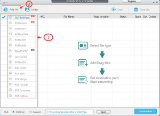
Dieses Tool hilft euch beim Konvertieren von PDF-Dateien in diverse Formate wie z.B. Word/Excel sowie Bildformate. Ideal für Präsentationszwecke!
Kommentare zum iCare SD Memory Card Recovery Pro 1.0.4
Please add a comment explaining the reason behind your vote.

Installation: Easy.
Registration: OK
Function: Hardly any.
Program only found 2 of my 3 USB Drives and 0 of my 1 SD cards. For an SD file recovery program this didn't bode well.
Uninstallation: OK
Any comments from the author would be welcomed,and necessary, I would think.

I installed iCare SD Memory Card Recovery on my tablet (running Windows 10), and it did not detect my micro-SD card. I've uninstalled the product.
I installed iCare SD Memory Card Recovery on my laptop (running Windows 7 Pro), and it did not detect my micro-SD card. I do not see the place to Registration.
Installed and registered without a problem. Scan shows nothing. Media is inserted and working as I just transfered files, but this program does not see it. Uninstalled.
Installed with license key successfully but when the program was run no memory cards appeared in the list even though the the memory card appears in the Windows Explorer listing. Running Windows 10 Pro 64Bit. Program Uninstalled.
iPhone Angebote »




Android Angebote »





Mir gefällt das tool sehr gut. so wie mir alle Geschenke hier jeden Tag gut gefallen. Ich bin inzwischen 40 Jahre alt und froh über alles, was ich geschenkt bekomme. Vielen Dank!
Save | Cancel
Der code für das Freischalten befindet sich in der Readme Datei.
Es ist die Pro Version.
Den Kommentar von rucksacktraeger kann man nicht glauben. Les mal den readme Text und schalte die Version mit dem Code fei dann hast Du auch die Pro Version.
Save | Cancel
Antonio, an welcher stelle kann man den schlüssel bitte eingeben? die gotd-version bietet mir keine option dazu und ist identisch mit der freeware-version des herstellers. bei der (von der hersteller-homepage) heruntergeladenen pro-version kann man den schlüssel zwar eingeben, der ist da aber verkehrt.
Save | Cancel
ich bins, wie groß soll denn bitte schön der Schlüssel (Bild) und das Wort "Register" für Dich noch sein?
Save | Cancel
Klappt perfekt, danke :)
Save | Cancel
leider nur die free-version ohne pro und ohne lizenzkey-eingabe.
bei der pro-version ist der key falsch.
Save | Cancel