Täglich bieten wir KOSTENLOSE lizenzierte Software an, die ihr sonst bezahlen müsstet!
Giveaway of the day — DVDFab Blu-ray Copy 13.0.1.7
DVDFab Blu-ray Copy 13.0.1.7 war am 11. Juni 2024! als Giveaway verfügbar!

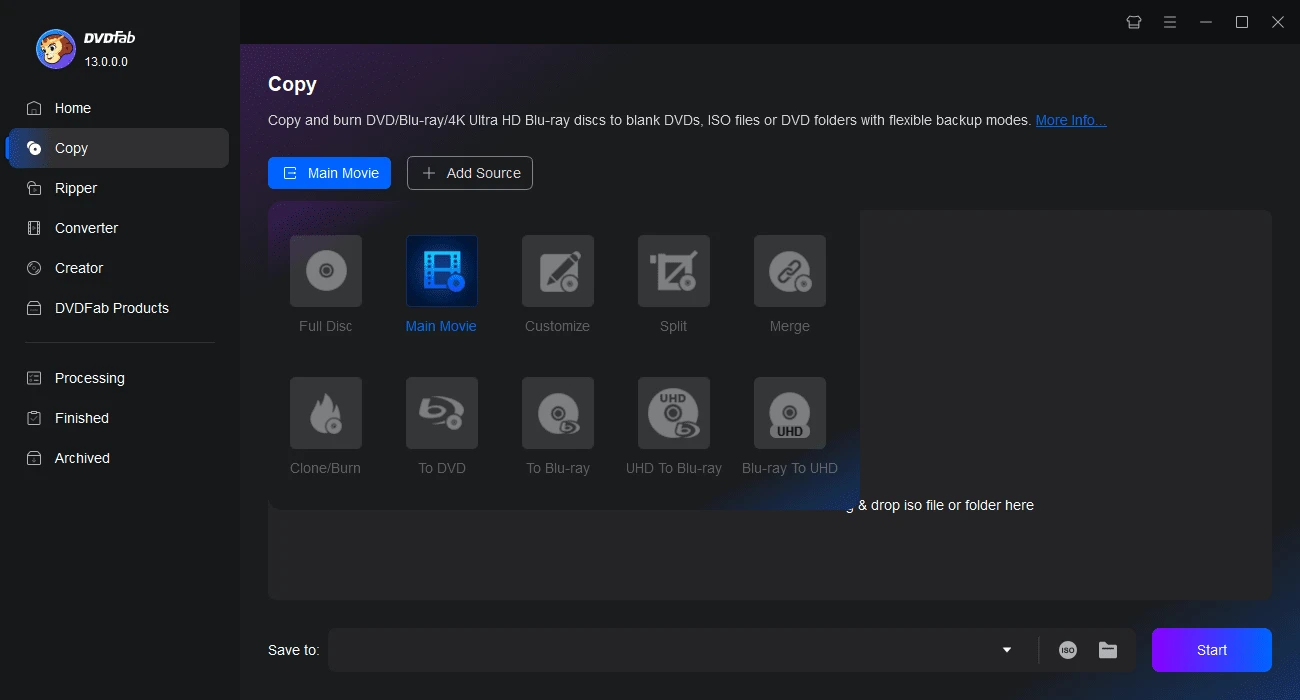
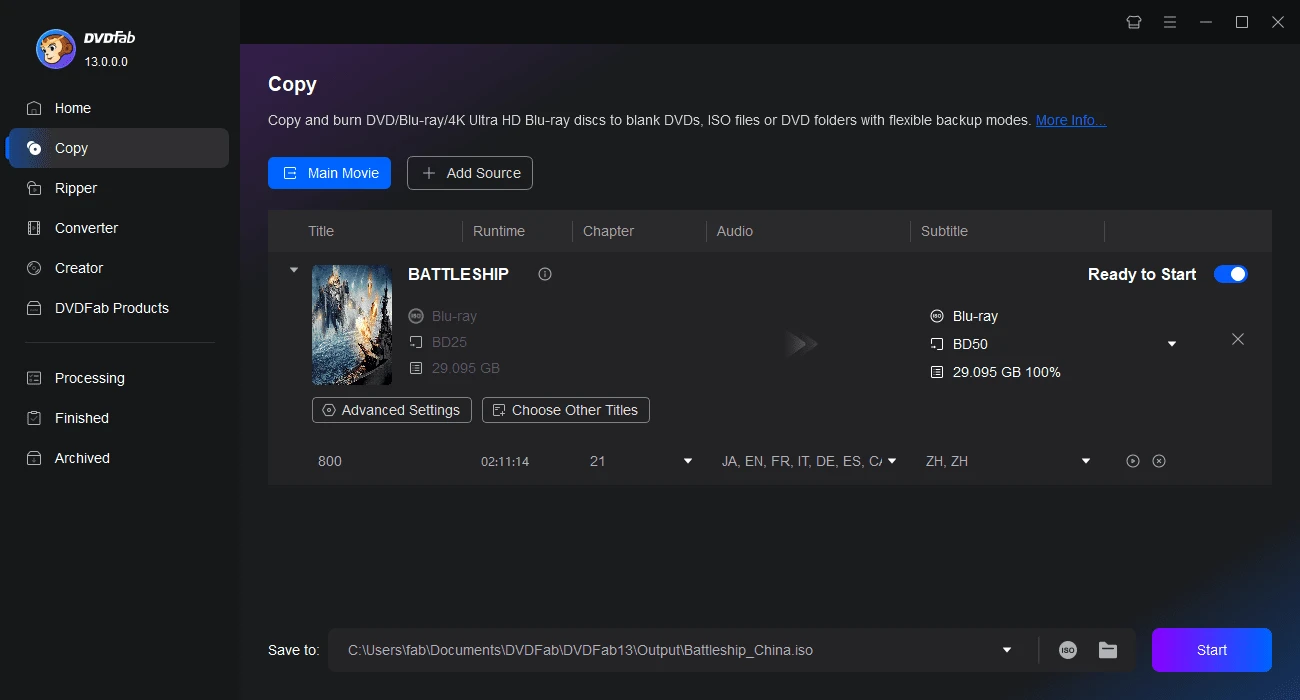
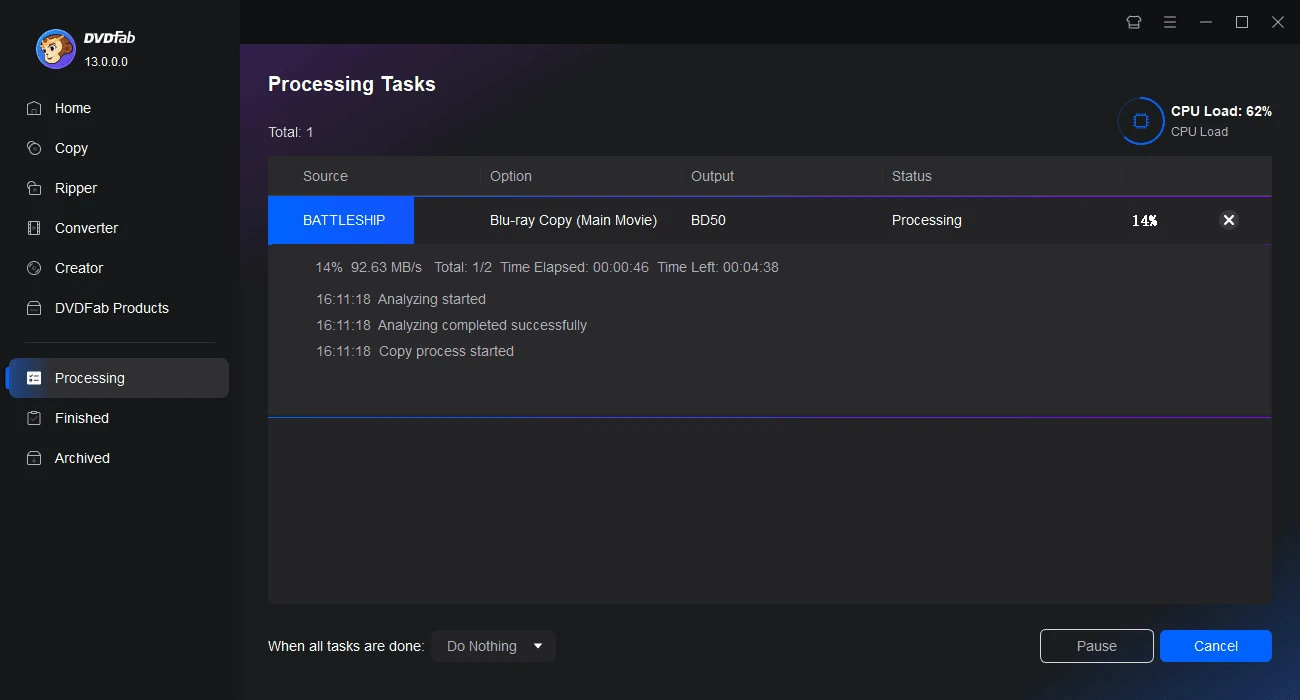
DVDFab Blu-ray Copy ist ein schnelles Tool, mit dem ihr jede Blu-ray auf eine leere Blu-ray-Disc und sogar DVD-Disc bzw. zur Sicherung auf euren Computer kopieren könnt. Das Programm erstellt 1:1-Kopien und komprimiert Filme, damit sie auf weniger große Arten von BD-Discs passen. Die Backups werden auf Systemen ohne HDCP-Monitore oder Grafikkarten abgespielt. DVDFab Blu-ray Copy kann alle Kopierschutze eurer Blu-ray Disc entfernen, sodass ihr Kopien für Sicherungszwecke erstellen könnt. Es ermöglicht euch, zahlreiche Audio- und Videoeinstellungen vor der Konvertierung anzupassen, und es ist sehr einfach, damit zu arbeiten.
System-anforderungen:
Windows 11/ 10/ 8.1/ 8/ 7 (x32/x64); Core 2 Quad and above; 2GB of RAM; 100GB of free hard disk space; NVIDIA GeForce GTX 260 and above; A Blu-ray Drive
Herausgeber:
DVDFabHomepage:
https://www.dvdfab.cn/blu-ray-copy.htmDateigröße:
2.5 MB
Licence details:
Jahreslizenz
Preis:
$69.99
Weitere interessante Titel
Der erste voll funktionsfähige Blu-ray-Ripper, der je nach Bedarf beliebige 2D/3D-Blu-rays in verschiedene 2D/3D-Videos rippt und konvertiert. Blu-ray 3D-Ripper-Funktion ist enthalten.
Die beste DVD-Kopiersoftware, die in der Lage ist, DVDs zu kopieren, als ISO-Datei und DVD-Ordner, oder jede DVD in verlustfreier Qualität zu komprimieren. So könnt ihr DVDs in 5 Minuten in einem der 6 Kopiermodi zu kopieren.
Eine vielseitige DVD-Ripper-Software, die jede DVD in jedes gängige Video- und Audioformat oder Gerät rippen kann, um die Videowiedergabe mit einer Vielzahl von Profilen zu unterstützen.
Kopieren und Verkleinern von 4K Ultra HD Blu-ray-Filmen, damit sie auf eine normale BD-50/25-Disc passen oder speichern von komprimierten Inhalten auf der Festplatte des Computers als ISO-Datei oder -Ordner.
Konvertieren von Ultra HD Blu-ray-Filme in hochwertige MKV- und M2TS-Videos zur Wiedergabe auf kompatiblen Geräten. Die erstaunliche HDR10-Videoqualität bleibt dabei erhalten!
GIVEAWAY download basket




Kommentare zum DVDFab Blu-ray Copy 13.0.1.7
Please add a comment explaining the reason behind your vote.

Here are some of the fastest free Blu-ray copiers for Windows that meet the same criteria as today's giveaway:
1. MakeMKV
Features: MakeMKV is popular for its ability to convert and copy Blu-ray discs to your computer. It removes all copy protections, allowing you to back up your movies.
Customization: You can select which audio and subtitle tracks to include in the output.
Ease of Use: It's known for its straightforward, user-friendly interface.
Free: While MakeMKV is free during its beta period, which has been ongoing for years, some features might eventually require a paid license.
2. HandBrake
Features: HandBrake, when combined with MakeMKV (to handle the decryption), can compress and convert your Blu-ray content into various formats. HandBrake alone doesn't decrypt Blu-rays but excels in conversion.
Customization: It offers extensive customization options for video and audio settings.
Ease of Use: It has a slightly steeper learning curve but is powerful and efficient once you get the hang of it.
Free: Completely free and open-source.
3. BDlot Blu-ray Ripper
Features: BDlot Blu-ray Ripper is designed to handle Blu-ray copy protections and lets you copy Blu-rays to your computer.
Customization: It allows various customizations for video and audio settings.
Ease of Use: Known for being easy to use with an intuitive interface.
Free: Free to use with no limitations.
4. Leawo Blu-ray Copy
Features: Leawo Blu-ray Copy supports copying Blu-ray to Blu-ray, ISO file, or folder with 1:1 quality. It can compress BD-50 to BD-25 and Blu-ray to DVD.
Customization: Offers options to select subtitles and audio tracks.
Ease of Use: Very user-friendly interface.
Free: There is a free trial version with limitations, and a paid version for full features.
5. DVDFab HD Decrypter
Features: Part of the DVDFab suite, HD Decrypter can copy and rip Blu-rays to your hard drive and remove copy protections. It supports 1:1 copy as well as compression.
Customization: Allows selecting specific parts of the Blu-ray, including audio and subtitle tracks.
Ease of Use: Known for its easy-to-use interface.
Free: The HD Decrypter is free, but some advanced features are available only in the paid version.
6. AnyDVD HD
Features: AnyDVD HD runs in the background to automatically remove Blu-ray protections. It works in conjunction with other software to copy or convert Blu-rays.
Customization: As it works with other programs, customization depends on the paired software.
Ease of Use: Very user-friendly, works seamlessly in the background.
Free: AnyDVD HD offers a 21-day free trial. After that, it requires a paid license.
Steps to Copy Blu-rays:
Decrypt and Copy:
Use MakeMKV to decrypt and copy the Blu-ray to your hard drive.
Alternatively, use DVDFab HD Decrypter or AnyDVD HD for decryption and initial copying.
Compress and Convert:
Use HandBrake to compress and convert the copied Blu-ray content.
BDlot Blu-ray Ripper and Leawo Blu-ray Copy can also handle compression and conversion.
Burn to Disc:
Use software like ImgBurn to burn the copied and compressed files to a blank Blu-ray or DVD disc.
These tools should cover all your requirements for copying, compressing, and backing up your Blu-ray discs while allowing playback on non-HDCP systems.

"Here are some of the fastest free Blu-ray copiers"
FWIW, speed is irrelevant when just copying -- the limiting factor is how fast your Blu-ray drive can read the disc.
RE: AnyDVD... at one time DVDFab's primary competition, both AnyDVD & DVDFab faced legal action in the US. DVDFab *seems* to have recovered, but AnyDVD shut down and was taken over by different folks -- some users are still upset with them over the maybe chaotic changeover, so you might still see bad press. DVDFab has a similar app called Passkey. Both apps have an option to copy the disc to a hard disk without DRM.
Also, purely FWIW, whenever video is encoded it loses quality [generative loss], so standard practice is to start with higher quality video than your final output to compensate. With its normally much higher bit rate, video on Blu-ray is a very good source if you want to encode a smaller video file. The AVC video compression normally used however is Not designed for editing/re-encoding, & neither is the DTS audio, so make sure to check sync in your converted video -- maybe run a test or three before doing the entire video. Note that if you OCR the graphics-based subs [e.g., use SubtitleEdit], & name the .srt file the same as the video file, Very many players will let you turn sub display on/off, select sub font & size etc. Note also that some discs have Cinavia protection embedded in the audio. DVDFab has some software that *may* help with *some* movies, but otherwise any *licensed* software &/or players will Not play it. That said, storage is cheap enough, and so are OTG adapters/cables, that for the past several years I have not seen any need to re-encode Blu-ray video whatsoever.
Well worth getting & using if you do Blu-ray at all. The main reason to use Blu-ray IMHO is that it's most often the highest resolution [highest bit rate] video you can get your hands on -- upscaled by our 4K TV it looks better than 4K streams, because those have to use more video compression. Since it's a copy you don't have the hassles of trying to play MKV or other formats, which is even more of a hassle if you expect to use subs or multi track audio. VLC for Android will play the video & subs etc. as-is, so it even works on a Kindle tablet. If you use the copy to burn to a Blu-ray disc, it'll play Much better without all the DRM -- even our higher end player struggles with it, stuttering or stalling once or twice during a movie. While the copies you get using DVDFab are full copies, and you'll get the Java menus and such that will play in a player or using PowerDVD Ultra, I normally use tsMuxeR to make a copy of the Blu-ray's folder and save that. It does lose the menus, but I have it copy just one 5.1 DTS audio track without HD DTS, which save Lots of space, but more importantly, it creates just one .m2ts file containing audio, video, and subs. A Blu-ray disc will often have a movie split into multiple .m2ts files, some of them fake, and use fake playlists that play those files in the wrong order, &/or skip some. With a single .m2ts file, is a player doesn't understand the Blu-ray structure, it will still play that .m2ts file -- you just have to select that file instead of the Blu-ray folder.
Will this program copy a regular DVD, or only a BluRay?
iPhone Angebote »





Android Angebote »





3 Stunden vor Ablauf auf der DVDFab-Seite: EXPIRED (Abgelaufen).
Save | Cancel
The countdown of giveaway of the day shows it's still about 7 hours to go, but the website https://dvdfab.at/co-giveaway.htm?refer=gotd claims that the giveaway has expired already. :-(
Save | Cancel
Aktivierungsseite falsch...
Save | Cancel
Grausig, wieviel Eigenwerbung erst weggeklickt werden muss. Und die Fenster schwarz in schwarz ohne Rahmen sind sehr verwirrend.
Save | Cancel
specified link is wrong. Cannot be activated.
Save | Cancel