Deutsch
Täglich bieten wir KOSTENLOSE lizenzierte Software an, die ihr sonst bezahlen müsstet!
$49
ABGELAUFEN
Giveaway of the day — StarBurn v.11
CD/DVD/Blu-Ray/HD-DVD Recording, Burning and Mastering Application
$49
ABGELAUFEN
Benutzer Rating:
869
28 Kommentare
StarBurn v.11 war am 11. Januar 2009! als Giveaway verfügbar!
Giveaway of the Day heute

Apeaksoft WhatsApp Transfer ist eine professionelle Datenübertragungssoftware.
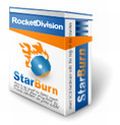
StarBurn ist ein mächtiges Tool zum Grabben, Brennen und Mastern von CDs, DVDs, Blu-Ray und HD-DVDs. StarBurn unterstützt sowohl alle Typen von optischen Speichermedien (inklusive CD-R/RW, DVD-R/RW, DVD+R/RW, Dual layer DVD-R & DVD+R, BD-R/RE, HD-DVD-R/RW und DVD-RAM), als auch eine große Vielfalt an Brenner-Hardware.
Die Bedienung von StarBurn ist einfach und leicht zu erlernen. Zusätzlich bietet das Programm eine Vielzahl von Step-by-step Wizards für unerfahrene Benutzer.
New features of StarBurn v.11
- Der Data Burning Wizard ist komplett neu entworfen worden. Nun basiert die Oberfläche auf einem aus zwei Panel bestehenden Drag'n Drop fähigen Fenster anstatt, wie bisher, nur auf einer einfachen Dateiliste.
- Alle Wizards wurden weiter vereinfacht. Die Anwendung läuft in zwei Modi: Umfassend (alle Wizard-Seiten können genutzt werden, und alle Optionen sind wählbar) und Einfach (Die meisten der Wizard-Seiten bleiben verborgen und nur grundlegende Standard-Optionen können ausgewählt werden). Die Anzahl Schritte, welche nötig ist um irgendeine Aktion durchzuführen, wurde um die Hälfte reduziert.
- UDF Mastering kann jetzt auch im Multi-Session Modus gefahren werden (fügt bereits erstellte UDF Disks hinzu)
System-anforderungen:
Windows 32-bit and 64-bit
Herausgeber:
StarBurn Software LtdHomepage:
http://rocketdivision.com/download_starburn.htmlDateigröße:
11.5 MB
Preis:
$49
Kommentare zum StarBurn v.11
Thank you for voting!
Please add a comment explaining the reason behind your vote.
Please add a comment explaining the reason behind your vote.

You can also add comment viaFacebook
iPhone Angebote »

$1.99 ➞ kostenlos

$3.99 ➞ kostenlos

$1.99 ➞ kostenlos

Get this special numpad keyboard to enter numbers with ease in any app on your iPhone or iPad.
$0.49 ➞ kostenlos
PDF2JPG is the ultimate solution for converting PDF documents into high-quality JPG images quickly and easily.
$0.99 ➞ kostenlos
Android Angebote »

The global bass booster and the equalizer enhances the sound quality of your Android device.
$1.99 ➞ kostenlos

Want to get experience and emotion from driving a real city train in the metro simulator?
$0.99 ➞ kostenlos

An alien ship has taken possession of multiple cities on planet earth, deploying countless robots.
$2.99 ➞ kostenlos

If your device has low sound, use Volume Booster and Sound Amplifier to make your device super loud.
$1.99 ➞ kostenlos
$1.99 ➞ kostenlos
Pow! Bin begeistert! Hier klopft das Herz für alle Brenner.
Save | Cancel
bei O2 bis zu 3 Freikarten umsonst zu haben.
O2-online.de
Save | Cancel
Eine gute Brennsoftware ist das, deutlich besser als Nero. Niemand braucht das aufgedunsene Nero.
Danke GAOTD!
Save | Cancel
Thx Gaotd!
Save | Cancel
tja,wird angegeben,dass es in deutsch sein soll.ist aber nicht der fall.schade
Save | Cancel
Die heutige Software ist so gut wie Nero einmal war.
Heute kann man Nero leider vergessen. Bloatware, wie von Fred schon geschrieben.
Save | Cancel
SPITZENWARE - ENDLICH MAL WIEDER "DANKE"!
Save | Cancel
Hmmm.... GOTD bietet die Version 11 an, während die HP des Herstellers "nur" die 10.5 als Freewareversion bereitstellt? Merkwürdig oder?
Save | Cancel
Leute, ob es euch passt oder nicht, Nero war, ist und bleibt das Beste seiner Art. Vielleicht sollten sich die Kritiker dieser Software erst einmal näher mit Nero beschäftigen, bevor sie sich mit ihren Kommemntaren hier blamieren.
Save | Cancel
@ Neonlight:
ich habe schon mit vielen Brennprogrammen gearbeitet, und Nero ist mit Abstand das Beste von allen. Kommentare wie deine beweisen, dass dass du dich mit Nero in keinster Weise näher beschäftigt hast bzw. dessen Funktionen nicht einmal erahnen kannst. Nero besteht aus einer Vielzahl von Einzelanwendungen, es deshalb als Bloatware zu bezeichnen, beweist fehlenden Sachverstand.
Save | Cancel
Nein Fred, Nero IST Bloatware, kann man tatsächlich voll vergessen.
Save | Cancel
Gibt es eine Möglichkeit, direkt eine CD oder DVD zu kopieren, ohne zuerst manuell ein ISO-Image anzulegen ?
Save | Cancel
keine Seriennummer, ist in EXE-Datei fest hinterlegt !
Save | Cancel
Vorher wollten die dafür immer 495,-$ !
Das erledigt genau auch die Free-Version,nur ohne Netzwerk!
Save | Cancel
Wie komme ich denn an das german menue heran? Finde leider keine Möglichkeit die Sprache einzustellen.
Save | Cancel
Klasse Version!!
Bei PC Welt ist "Derzeit keine Vollversion verfügbar"....
Save | Cancel
A star was born. Reg. und Serial werden heute nicht benötigt. Spiele gibt es morgen wieder.
Save | Cancel
Es gibt keine Serial. Das ist eine spezielle Giveaway Version, so wie immer.
Save | Cancel
Wo bleiben die Spiele fürs Wochenende
Save | Cancel
minus 10 Star rated
Save | Cancel
Also auf dieser Seite http://rocketdivision.com/download_starburn.html
steht Enterprise für $49
Save | Cancel
Welche Version ist es eigentlich? Die Free-, Pro- oder die Enterprise-Version?
Save | Cancel
Hallo an alle!
Wir ist denn hier die REG bzw. Serial ???
Save | Cancel
Das ist mal wieder ein richtig guter Download - echt eine Top-Software! Vielen Dank! :)
Save | Cancel
Klasse Giveaway, Danke!
Save | Cancel
StarBurn (Give Away of The Day)
Copyright (c) Rocket Division Software 2001-2008. All rights reserved.
Description
===========
Burn discs of any kind, from Audio CD to High-Definition Video.
Did you download a high-def burning utility only to find that it does not support your minty Blu-Ray burner? Got a message saying “Your disc burner is not supported, please update the driver”? StarBurn works with all CD, DVD and HD burning hardware with no issues, and supports all optical disc formats from legacy Audio CD to brand-new Blu-Ray and HD-DVD discs. Of course, you can burn a data CD, a single or double-layer DVD video or data disc just as easily!
Ever had a bunch of MP3s, but couldn't figure how to make a proper CD to play back in your car? Make an Audio CD from WAV, MP3, WMA, OGG, ASF or WMV files from within a single application. Make a Video CD, Super VCD or even a DVD video from a movie in almost any video format from the very same application. Burning data CDs and DVDs is equally easy no matter what you store. Erase or rewrite CD-RW discs, create double-layer DVDs and perform just about any burning task with StarBurn.
Burning a disc is now extremely simple thanks to the StarBurn new wizard-style interface. Feel a little more advanced? Try the Power GUI that allows you to fine-tune your discs and adjust burning properties. Want to fit more on a CD or DVD than the standard allows? Increase your storage capacity safely and easily with StarBurn's Power GUI by adjusting the Overburn!
Did you ever wonder what's inside that ISO file? ISO files are disc images that contain information about the entire CD or DVD disc. Until now, your only choice to see what's there would be burning the image onto a blank media. StarBurn conveniently mounts the ISO image and creates a separate drive letter, allowing you to work with the image as if it was a real disc inserted into your CD/DVD drive - yet without actually burning anything! No need to waste blank media, and no more waiting till the burning finishes - just mount an image with StarBurn, and you're ready to roll.
System Requirements
===================
* Windows XP SP2 (Windows Vista recommended)
* 800 MHz Intel Pentium III class processor (2+ GHz Intel Core2 Duo recommended)
* 512 MB of RAM (2+ GB of RAM recommended)
* 30 MB of free hard disk space for StarBurn application data
* CD/DVD drive (Blu-Ray or HD-DVD burner recommended)
* Fast Ethernet connection for network burning (GbE or 10 GbE connection recommended)
Installation and Setup
======================
To install the program please download and run the installation package and follow the instructions of the wizard.
Version History
===============
November 30, 2007 (Version 9.0)
December 28, 2007 (Version 9.5)
January 21, 2008 (Version 9.8)
March 20, 2008 (Version 10.0)
October 20, 2008 (Version 10.5)
December 30, 2008 (Version 11)
Save | Cancel
Da kannst du Nero glatt vergessen!
Save | Cancel
Is cool Man.Geiles Tool. :-)
Save | Cancel