Täglich bieten wir KOSTENLOSE lizenzierte Software an, die ihr sonst bezahlen müsstet!

Giveaway of the day — Sothink HD Video Converter
Sothink HD Video Converter war am 14. April 2010! als Giveaway verfügbar!
HD Video Converter ist ein innovatives Tool, das euch beim Konvertieren von HD-Videos ins SD Format unterstüzt. Genießt eure Filme in höchster Auflösung auf PS3, Xbox 360 und Apple TV.
Mit HD Video Converter wird das Konvertieren von HD Videoformaten wie z.B. MKV, H.264/AVC, AVCHD (MTS, M2TS), AVI, DivX, HD WMV, MPEG, MP4, QuickTime (MOV) usw. zum Kinderspiel!
System-anforderungen:
Windows XP/Vista/7, Windows Server 2003/2007/2008; 1GHz Intel/AMD processor or above; 256MB RAM (512MB or above recommended)
Herausgeber:
SothinkMediaHomepage:
http://www.sothinkmedia.com/hd-video-converter/index.htmDateigröße:
17.8 MB
Preis:
$39.95
Weitere interessante Titel
Dieses intuitive Tool hilft euch beim Erstellen eines professionellen Logos. Ihr braucht keine Designkenntnisse, um innerhalb von wenigen Minuten ein Logo für eure Firma, Webseite, Homepage oder einfach attraktive Buttons und Symbole zu kreieren. Das Programm bietet euch mehrere interessante Vorlagen, Farb- und Spezialeffekte sowie hervorragende Editieroptionen.
Professioneller SWF Decompiler verwandelt SWF-Datein in FLA/FLEX Project und hilft euch beim Extrahieren von Flash- Elementen. Kompatibel mit Flash 6/MX 2004/ 8/CS3/CS4 sowie ActionScript 3. Windows 7 Support.
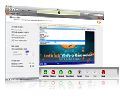
Sothink Sothink Video Encoder konvertiert Videodateien in FLV- und SWF-Formate ohne jeglichen Qualitätsverlust.
Sothink HD Movie Maker hilft euch beim Konvertieren von Videos in diverse Formate und brennt diese anschließend auf Blu-ray ( BD-R, BD-RE, BD-25, BD-50) und DVDs ( DVD+R, DVD-R, DVD+RW, DVD-RW). Die gebrannten Dateien (BD5/ BD9) können auf allen Blu-ray Playern (inklusive Sony PlayStation 3) abgespielt werden. HD Movie Maker unterstüzt mehrere Videoformate inklusive WMV, MKV, AVI, DivX, XviD, MPEG, MP4, QuickTime Movie (MOV, QT), Real Video (RM, RMVB), H.264/AVC, M2TS, FLV, etc.
GIVEAWAY download basket




Kommentare zum Sothink HD Video Converter
Please add a comment explaining the reason behind your vote.
The Good
* Straightforward and fairly to use.
* Supports many input formats, and a handful of output formats.
* Can do video -> video, video -> audio, and audio -> audio conversions.
* Allows users to shutdown, sleep, or hibernate computer automatically after conversions have finished.
* Allows users to trim videos.
The Bad
* Can convert to SD videos (in addition to HD videos), but converting to SD videos is a big hassle.
* Doesn't properly make use of dual cores (if applicable).
* Developer claims to be able to add subtitles, but there seems to be no option in the program to do this.
Free Alternatives
iWisoft Video Converter
FormatFactory
For final verdict, recommendations, and full review please click here.

#5 Nick - Since when has Nero been "free" ?
Quick overview. Ashraf has done a fantastic review on this, one of the best reviews of any product I've seen for a very long time.
Problems encountered on my machine (that has some video driver issues) the preview video would not play, though conversion was flawless.
It's yet another frontend for FFMPEG, a very good video tools library that most video conversion software uses as the "workhorse"
Useful application, it does what it says out of the box and also allows you to change the settings though it's more of an expert tool in this regard as you must click on the "advanced" tab and then key in the settings manually. (I used 640 x 480 at 384 Kbps with mp3 audio at 128Kbps mono 22KHz and turned aspect radio correcting off in the primary settings menu as my test source was "streched") It would have been nice to include two categories, each with it's various options. One for standard definition common formats and one for the high definition stuff.
However, once you get a format that works, it remembers it for any subsequent videos you drag in to the applications and you can save the custom settings as a "profile" which makes life much easier in the future.
It does allow crude "trimming" of videos, a bit of a lacking feature as you cannot select frame by frame, only drag the left bottom arrow for the start and the right bottom arrow for the finish. It makes it very hard to select a scene from a long duration video as it can only move in defined steps as you drag it, you lose some control the longer a video gets. It's also a bit illogical for a novice.
It also does not support "stitching" so you cannot create one long video from a series of "takes" and you cannot mix audio into the video or add subtitles, images, overlay text etc.
It is just a simple video converter with a good backend and works well.
Overall it's a keeper.
Free alternatives:
Formatfactory - converter
Avidemux - a very featured and effective editor but requires a learning curve.
iWisoft - something I have not tried but must give a try from Ashraf's review, it looks excellent.
This is the "perfect" accompaniment to yesterdays screen capture software. If you are re-recording a streamed video or DVD using 1avcapture / 1avcentre you may end up with file sizes of 10MB per MINUTE of Video. Obviously with this you can then compress the video to a more manageable size.
Installed and registered fine on 7x64
Just a reminder...
Nero DVD software is a commercial product, but if you assemble your own PC, some hardware manufacturers bundle OEM programs with their PC components. It's common knowledge and perfectly legal to receive an application like Nero Express with the purchase of an internal DVD-Recorder.
Moreover, A Lite version of Nero 9.0 can be downloaded for free from the official website.
iPhone Angebote »





Android Angebote »





@mitläufer
3 bilder und ein standbild in 10 sekunden abspielen zu lassen und zu erwarten es wäre flüssig, wie soll das deiner meinung nach gehen? vor allem weil das menschliche auge etwa 24 bilder pro sekunde braucht um flüssig zu sehen. dir fehlen also 237 bilder.
Save | Cancel
@umalut
das sind die selben doedel's die hier software auf ihren pc downloaden und glauben sie hätten echte und wertvolle vollversionen.
Save | Cancel
Wie schräg muss man eigentlich drauf sein, sich eine HD-Videocam zu kaufen, um die Resultate dann herunterzukonvertieren!?
Save | Cancel
Der kann ja noch nicht einmal .mov ruckelfrei abspielen. Mini-Test-MOV von ca. 10 Sekunden: drei Bilder, dazwischen Standbild.
Save | Cancel
Ja ! das braucht man wenn man eine HD Cam hat und die Filme laufen ruckelig auf dem PC. Ein Konverter der genau das macht was er soll - und in HD gibt es davon nicht so viele die das wirklich können. Zumindest für die Filme unserer Panasonic Cam die Rettung.
THANKYOU !
Save | Cancel
Endlich wieder einmal ein brauchbares Programm. HD Filme sind sonst schwer zu kopieren, damit geht es ganz einfach und mit toller Qualität! Einfach Super!
Save | Cancel
interessant wird es doch bei Youtube => HD Videos. :D
Save | Cancel
@MartinHeuch
dies sind meist Xvid Filme, zu beachten gilt, dass der Player (z.B. DVD Player) auch das Xvid Format unterstützt, sei es von einer gebrannten CD oder via USB. Beim brennen der Xvid Datei musst du eine Daten CD brennen und DAO (Disc at once) wählen. Die heutigen DVD Player unterstützen fast alle DivX und Xvid.
Gruss olaf
Save | Cancel
@MartinHeuch:
da reicht dir aber schon DIVX oder der H.264 Codec (beides vom Programm unterstützt, laut Beschreibung)...
Save | Cancel
Kann man HD Digitalkameravideos auch in gleicher Qualität kleiner machen? Es gibt viele Kinofilme im Netz, wo die Filme von 4GB auf 700MB in bester Qualität kleingemacht wurden. Das will ich auch machen mit meinen Videos.
Save | Cancel
Ja, wieder ein Konverter! Aber er funktioniert und ist einfach zu bedienen. Ich brauch ab und zu dieses Teil (bisher habe ich Vorgängerversionen benutzt). Hierfür Daumen noch. Auch andere Sothink Produnkte sind prima. Mit dem SWF Quicker habe ich mir schon so manches Flash-Spiel meinen Wünschen angepasst, natürlich nur für mich privat.
Save | Cancel