Täglich bieten wir KOSTENLOSE lizenzierte Software an, die ihr sonst bezahlen müsstet!
Giveaway of the day — Paragon Backup and Recovery 14 Compact (English Version)
Paragon Backup and Recovery 14 Compact (English Version) war am 29. April 2014! als Giveaway verfügbar!
Paragon Backup and Recovery 14 Compact ist eine einfache, leistungsstarke Wiederherstellungslösung für Windows Desktop-PC und Laptops. Das Programm sichert all die wichtigen Daten: Videos, Bilder, Musik, Dokumente, Anwendungen oder eure gesamte Festplatte. Die Kompakt-Version garantiert den Schutz eurer wertvollen Daten sowie die Wiederherstellung im Falle einer Katastrophe. Ab sofort unterstützt es Windows 8 und die letzten HDD-Standards!
Ab sofort unterstützt es Windows 8 und die letzten HDD-Standards!
Features:
- Smart Backup Wizard: Schnellsicherung von Dokumenten, Emails oder Mediendateien - ohne zusätzliche Konfiguration.
- Backup auf virtueller Festplatte (VD) für einzelne Partitionen oder ganze Festplatten (VHD, VMDK und new pVHD-Formate).
- Assistent zur Wiederherstellung aus virtuellen Archiven (.pVHD):Mit Paragons neuer Sicherungstechnologie, können Sicherungen auch als virtuelle Festplatte (VD) erstellt werden. Damit können Backup-Archive z.B. direkt als Grundlage für virtuelle Maschinen eingesetzt werden. Das zusätzliche und optionale .pVHD-Format (Paragon Virtual Hard Disk) bietet ähnliche Vorteile wie virtuelle Festplatten und kombiniert diese mit vergleichbaren Kompressionsraten herkömmlicher Sicherungsarchive. Zusätzlicher Vorteil: Inkrementelle Sicherungen auf Netzlaufwerke (NAS) sind dank dem pVHD-Format bis zu 10-mal schneller als bisher.
- Inkrementelles Festplatten-Imaging: Inkrementelle Sicherungen fügen zu jedem Sicherungszeitpunkt jeweils ein Inkrement mit den Änderungen im Vergleich zur letzten Sicherung hinzu. Anders als bei der differentiellen Methode wird so nur gesichert, was sich seit der letzten Sicherung geändert hat und nicht der Änderungszustand im Vergleich zur ersten Basissicherung. Dies spart Speicherplatz und Zeit und ermöglicht eine höhere Anzahl an Sicherungspunkten und dadurch noch mehr Datensicherheit.
- Kompatibel mit Windows Storage Spaces: Kopieren, Wiederherstellen, Größe verändern von Windows Storage Spaces direkt im Hauptprogramm.
- Vollständige UEFI-Unterstützung: Ein 64-Bit-Windows-System mit UEFI-Bootmodus kann z.B. auf neue Hardware oder sogar in eine virtuelle Umgebung übertragen werden.
- Support der letzten HDD-Standards: Unterstützt SSDs (solid state drive), AFDs (advanced format drive) und Festplatten mit mehr als 2 TB Speicherplatz und Sektorengrößen über 512 Byte.
- Boot Corrector: Stellt aus einer WinPE*-, Linux- oder DOS-Umgebung heraus die Bootfähigkeit eures Windows-Betriebssystems wieder her. Mit dem Boot Korrektor lassen sich u.a. die Startdateien (boot.ini bzw. bcd) korrigieren sowie Partitionen aktivieren und deaktivieren.
- Wiederherstellung einzelner Dateien bzw. Ordner: Problemlose Wiederherstellung einzelner Dateien oder Ordner aus einem Backup, ohne das gesamte Image wiederherstellen zu müssen.
- Wiederherstellen mit VD Wizard: Verbinden Sie im schreibgeschützten Modus oder binden Sie die virtuelle Festplatte als Snapshot ein, um die Daten der Ausgangsdatei beizubehalten. Restore entire hard disks, separate partitions, or certain files and folders from pVHD (available under Windows and Linux).
- Partitionsausrichtung für Bare-Metal-Wiederherstellungen
Beim Wiederherstellen auf eine neue Festplatte sorgt die Partitionsausrichtung dafür, dass moderne Datenträger wie AFDs und SSDs nicht durch falsch ausgerichtete Partitionen in ihrer Leistung ausgebremst werden. - Verschlüsselte Sicherungen: Mithilfe der Sicherungsassistenten könnt ihr eure Backup-Dateien verschlüsseln und vor unerlaubtem Zugriff schützen.
Technischer Support:
Während der Giveaway-Phase bietet euch Paragon Software technischen Support auf www.giveawayoftheday.com. Sie haben die Möglichkeit, Ihre Fragen zum Download, Registrieren und Benutzen der Software dort zu stellen. Paragon Software Support Team bemüht sich um eine möglichst schnelle Antwort!
WICHTIG: falls ihr die vorletzte Paragon Backup & Recovery Version habt, müsst ihr diese vor der Neuinstallation aus eurem System entfernen.
x64-Benutzer, folgt bitte diesem Link (Dateigröße: 221 MB)
System-anforderungen:
Windows XP/ Vista/ 7/ 8/ 8.1 (x32/x64); CPU: Intel Pentium or compatible, 300MHz or higher processor; RAM: At least 256 MB (512 MB or greater recommended); Disk space: 250 MB (during the installation additional free space (up to 1GB) will be required)
Herausgeber:
Paragon SoftwareHomepage:
http://www.paragon-software.com/home/br-compact/index.htmlDateigröße:
130 MB (for x32)
Preis:
$29.95
Weitere interessante Titel
Alles-in-Einem Suite: Schutz und Management eures Rechners!
Daten und Systeme einfach sichern, zuverlässig und flexibel wiederherstellen.
Paragon NTFS für Mac® ist die erste Treiberlösung, die OS X Mavericks vollständig unterstützt und die genau so schnell arbeitet wie native Treiber! Greifen Sie von Ihrem Mac so einfach auf Windows-Partitionen zu, dass Sie ganz vergessen, unter welchen Betriebssystem Sie gerade arbeiten. Paragon NTFS für Mac ermöglicht den nahtlosen Datenaustausch zwischen Windows and Mac – auch unter großer Systemauslastung!
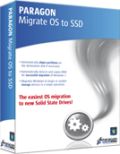
Bereit für ein Upgrade auf eine SSD (Solid State Drive)? Dann ist Migrate OS to SSD genau das, was Sie brauchen. Ein hilfreicher, intuitiv zu bedienender Assistent migriert schnell und sicher Ihr Windows-System auf eine neue Festplatte (HDD or SSD). Die Ausschlussfunktionen reduzieren dabei die Datenmenge, damit sie auf die kleinere Zielfestplatte passt. Ohne Ihre Arbeit unterbrechen zu müssen, können Sie jetzt ganz einfach Ihr System im laufenden Betrieb übertragen – die Partitionen werden dabei automatisch ausgerichtet.
Kommentare zum Paragon Backup and Recovery 14 Compact (English Version)
Please add a comment explaining the reason behind your vote.
BETTER and MORE COMPLETE FREE ALTERNATIVE:
http://www.backup-utility.com
http://www.backup-utility.com/features/create-bootable-disc.html
Enjoy!! ^_^

Installed and registered without problems on a Win 8.1 Pro 64 bit system. In my case it makes an upgrade from the installed version 12.
A well known German company with name, Address and phone (only on their german website).
We had had already Paragon Backup and Recovery 12 Compact on Sep 11th, 2013.
Here are the old reviews : http://www.giveawayoftheday.com/paragon-backup-recovery-12/
The version 14 (a subset of the Paragon Hard Disk Manager Suite) has some interesting changes :
The new edition comes with a host of new and enhanced features to meet the needs of the latest systems, including complete uEFI support, backup and recovery of BitLocker encrypted partitions (thus protecting PC users’ data from loss and unauthorized access), and the new pVHD (Paragon Virtual Hard Drive) format for faster and more reliable backup.
In the "compact version" the WinPE based bootable media builder is again missing, but you can create a DOS/Linux based system.
A good and reliable program.
Here is a kind of a "warning message" of which any prospective user should get aware of before using Paragon software.
I used to be a dedicated user of Paragon backup software for many years until I found a major failure in one of its latest versions. The present version is tacit about the failure, so we may assume the failure has not been fixed in it.
Here is the "story" that illustrates the problem: I have a number of Paragon backup files of the entire system disc and one day I needed to restore my system using one of the backups. The system disc I wanted to take back to its backuped version was a working disc, exactly the same one wich I backed up a few weeks before. Paragon started working as required but at some point it displayed an error message. It indicated that there may be an error in the backup files or the disc or otherwise, and Paragon sofware stopped performing the operation without offering any reasonable solution (roll back – for instance). The effect was such that a working system disc on which I wanted to write its backed-up version was completely destroyed and non-recoverable: it contained some useless fragments of the previous version that Paragon wrote to it before it stopped working. Using Paragon software for disc recovery after its format did not return the disc to any usable state.
As the engine that Paragon uses seems to be the same in all its latest versions I do not think that the defect demonstrated by Paragon in my "story" is version-specific, i.e. I suspect that all the various versions of Paragon backup software are charged with this defect.
What I really do not understand is how such an allegedly good software may work in such a manner that it does not check if the complete and successful restoration of a disc is possible (i.e. the archive files are complete and not destroyed, the disc and system is suitable for restoration etc.) before it starts working and writing to the disc (i.e. destroying the previous content of the disc). Tech support of Paragon (I am a registered user as I bought their soft some years ago) did not offer any reasonable solution to either restore the disc to its previous state (i.e. before Paragon soft destroyed it) or a tool to recover/fix error the backup files. The only solution that they offered was to check a disc, which had done before. As I know that their software has problems with handling bad sectors, I had checked the discs carring backup files and the destination system disc before I started Paragon. I used the ordinary Windows check-disc application and it did not find any errors. . Paragon techsupport was also "kind enought" to attach a list of quite impractical remarks about the restoration of destroyed discs using professional service providers...
Needless to say I will never use Paragon software again and I make all new backups using another software which is free, faster and seems more reliable. I think Paragon had been an excellent brand until they assumed and lost their standards in the common "market chase" model: more versions at any price, each less and less reliable.
Regards
Marek
Just one negative comment.
Several months ago I uninstalled previous version. Paragon Backup changed boot menu at the installation and did not restore it back at the uninstallation. Still have backup item in the boot menu and no idea how to fix.
Not a reason to refuse the program but...
# 8. Fireworker
#4 Giovanni, do not be unfounded, name at least one feature of AOMEI which is not in Paragon (except for creation WinPE which is not a function but only an additional tool to perform tasks)
WinPE is not a function? Are you joking man? It's the most important function a backup tool should have, because if for some reasons Windows no longer boots up, a tool like today's giveaway becomes totally USELESS!!
Anyway, as for your question I have a very easy answer for you: AOMEI it's FREE....get the drift? LOL!
^_^
iPhone Angebote »





Android Angebote »





130 Megabytes für eine Kompaktversion und für 64Bit klarerweise gleich nochmal fast doppelt so groß und das auch noch nur in Englischer Sprache. Schwach. Welchen schlechten Kompiler verwendet Paragon?
Letztlich ist es aber egal, da man ein derartiges Programm ohnehin auf einem externen bootfähigen Datenträger installiert. Geht doch, oder?
Save | Cancel
Ich verstehe immer noch nicht, wieso auf dieser Seite nur englische Programme angeboten werden? Hätte dieses Programm eine deutsche Oberfläche, hätte ich es mir wenigstens mal angesehen. Was bedeutet Compact bei einer Größe von 221 MB? Oder bezieht sich die Angabe auf den Preis, den ich dann in Dollar und nicht in Euro bezahlen soll? Wer weiß mehr als ich je wissen werde? Vielen Dank für eure trollige Hilfe!
Save | Cancel
Also ich weiß nicht was ihr habt. Bei mir funktioniert das entpacken der 64Bit Version problemlos. Keine Fehlermeldung, nix! Vielleicht solltet ihr zum entpacken mal 7zip verwenden statt Winrar ;)
Save | Cancel
"Ab sofort unterstützt es Windows 8...."
Achtung, Windows 8 kompatibel heisst dann nicht unbedingt dass diese "Compact" -Programm auch unter Windows 8.1 fehlerlos läuft.
Ich würde das Freeware -Tool nur bis Windows 7 einsetzen.
PS: Warum sind die englischen Sprachversionen der Paragon -Programme ca. 10% günstiger? Zumal die Firma eine Deutsche ist...
Save | Cancel
Bei mir funktioniert die 64 Bit Version nach einigen Versuchen. Zum Beispiel die Vorgängerversion mit Windowsmitteln deinstalliert. Und auch sonst ein paar mal probiert was ich aber nicht mehr nachvollziehen kann.
Save | Cancel
korrektur..
O6O und Acronis meinte ich..
Save | Cancel
Also..
manche Software finde ich ja ok..
aber viele (sehr viele) davon ist fast nur Schrott !!
denn die Unternehmen verdienen ein haufen Kohle damit und
sind dann soooo knickrich, mal eine richtig geile
Software für EINEN TAG, hier rein zu stellen.
ZB: Antivierensoftware wie G-data oder Kasperskay usw..
oder Avronis Vollversion..oder O6O Software usw..
es gibt viele davon..
Save | Cancel
also bei mir ging die 64-bit version ohne probleme auszupacken und zu installieren. Läuft auch einwandfrei
Save | Cancel
64-Bit-Version geht immer noch nicht (19:30 Uhr)!!!
Was ist mit dem Versprechen: "Während der Giveaway-Phase bietet euch Paragon Software technischen Support ..."
Service sieht anders aus!!! Darum Daumen runter!
Das Prog selbst hätte einen "Daumen hoch" verdient. Schade, da wird hier endlich mal ne vernünftige Software angeboten und dann funzt sie nicht.
Bookmark für GotD wird jetzt endgültig gelöscht ... und tschüss!
Save | Cancel
@schwindi: Schau mal, ob Du einen brauchbaren System- Wiederherstellungspunkt hast. Dann kannst Du die alte Version noch retten. Oder installier eben die 32er - ist auch kein Beinbruch für ein paar Monate - die Paragon-Tools kommen ja immer wieder. Für die Zukunft: Vor Neuinstallationen immer einen Wiederherstellungspunkt erstellen (manch gute SW macht das automatisch)!
Save | Cancel
An alle Energiesparleuchten hier, die sich immer wieder darüber beklagen, dass die angebotene Software nur auf englisch sei: Wann kapiert ihr endlich, dass dies eine US-amerikanische Seite ist? Und was sprechen die Menschen in den USA? Ach ja, englisch. Und wenn Ihr so gegen englisch seid, warum besucht Ihr eine Seite, die "Giveawayoftheday" heißt? Habt Ihr keine anderen Hobbys?
Save | Cancel
auch bei mir lässt sich 64-Bit-Version nicht entpacken.
Save | Cancel
Da gibt es ja nur die 32 Bit Version
Save | Cancel
Ja die 64 bit install Exe ist fehlerhaft und das sieht auch dann so aus nach Installation im Advanced Modus:
https://www.flickr.com/photos/87103286@N02/14082980243/
Bitte behebt den Fehler!! Ansonsten schreib ich Paragon per mail an.
Save | Cancel
Leider muss ich mich Gehtnix anschließen... Habe den File auch 2x heruntergeladen und bekomme beim Installationsversuch eine sinngemäße Meldung ´... Datei kann nicht gelesen werden´. Leider erst beim Versuch der Installation... Heißt: die Vorgängerversion hat´s mir wahrscheinlich zerschossen, denn ich wurde gefragt, ob ich mit der Deinstallation einverstanden bin... Äußerst ärgerlich.
Save | Cancel
Paragon bekommt immer ein Plus denn diese "Truppe" bietet gut funktionierende Software an und das seit Jahren!
Für die reinen "Deutssprecher" ist diese Version zu empfehlen:
http://www.chip.de/downloads/Paragon-Backup-Recovery-2014-Free_32533759.html
Ich nutze seit Jahren "Paragon Backup&Recovery" sowie "Paragon Partition Manager" und hatte damit keinerlei Probleme. So macht Datensicherung Spaß und gibt Sicherheit welche am Ende auch funktioniert!
viel Spaß
snow
Save | Cancel
Compact, Englisch und weg! Nein Danke!
Save | Cancel
"Die Kompakt-Version garantiert": wieder mal wie üblich von der deutschen Schmiede nur englische Version... NEIN DANKE, nicht schon wieder... "Fall einer Katastrophe"
Save | Cancel
die 64-Bit-Version lässt sich nicht entpacken ... fehlerhaftes Archiv auch beim 2. Downloadversuch
Save | Cancel
Schade, dass die Version nur in Englisch ist.
Save | Cancel